
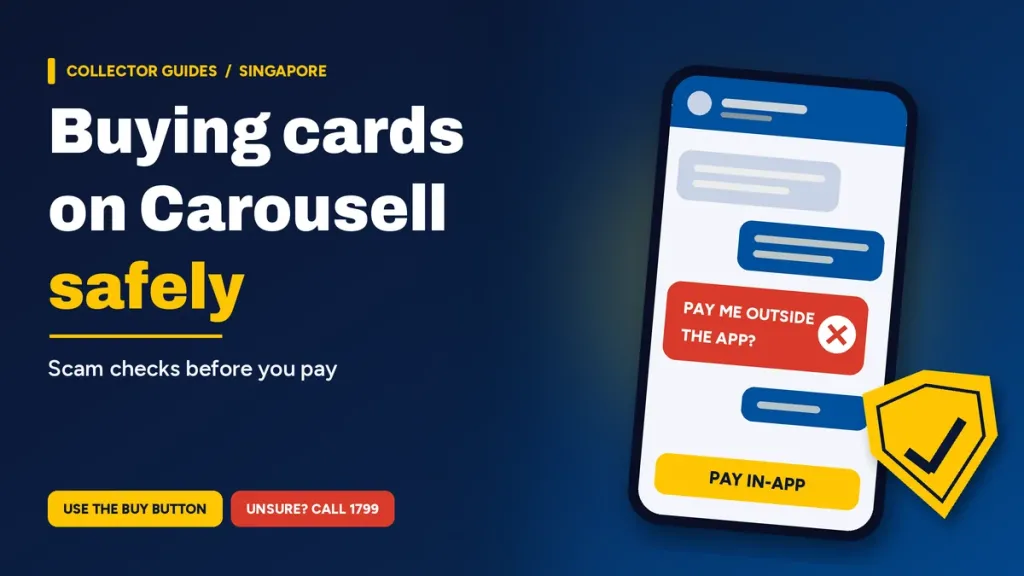
The safest way to buy trading cards on Carousell is to pay through the ‘Buy’ button for anything that will be delivered, or to pay at a meet-up only after you have checked the cards, and to keep every chat inside Carousell. Carousell’s Singapore safety policy says that if you are receiving an item by delivery, you “must only pay your seller via the ‘Buy’ button”.
Why card collectors need to be careful
In a news release on 6 February 2026, the Singapore Police Force said at least 609 cases of e-commerce scams involving the sale of Pokémon trading cards had been reported since 1 October 2025. The release covered a seller who advertised advance sales of Pokémon cards on Carousell, took PayNow or bank transfers, then went uncontactable or blamed failed delivery. An earlier police advisory from 18 December 2025 described the same deposit pattern.
Both name Pokémon, but the same checks apply to One Piece Card Game boxes, Yu-Gi-Oh! singles, Disney Lorcana and Magic: The Gathering boosters, or graded Topps Chrome cards.
The one rule: pay through the ‘Buy’ button, or at the meet-up
- Delivery: pay only through the ‘Buy’ button. Carousell’s buyers’ guide says sellers who offer delivery must allow it, and “If the seller insists that you pay them directly, it might be a cause for concern.”
- Meet-up: the safety policy says you “must not pay before the meet-up”. Pay at the meet-up, ideally after checking the item, or use the ‘Buy’ button.
- Saving fees: if a seller suggests paying directly to save fees, the buyers’ guide says to meet up instead and pay after checking your cards.
The police agree: avoid “advance payments or direct bank transfers to the seller as this method does not offer any protection.”
What Buyer Protection covers, and what it does not
Buyer Protection covers a deal paid through the ‘Buy’ button if the item never arrives (tracked delivery only) or if what arrives is “materially different from the listing”, which Carousell calls Significantly Not As Described (SNAD).
| Situation | Buyer Protection |
|---|---|
| Paid with the ‘Buy’ button (PayNow, card, PayLah! or Atome where available) | Eligible |
| Paid by bank transfer, cash, or PayNow outside the app | Not covered |
| Tracked parcel never arrives | Covered |
| Untracked mail, such as SingPost Normal Mail, or late delivery | Not covered |
| Wrong item sent, or condition misrepresented in the listing | Covered (SNAD) |
| Minor surface wear that does not affect function | Not covered |
| Creases or dents in the box or packaging, item inside undamaged | Not covered |
| Mystery bundles with contents not clearly described, or change of mind | Not covered |
Disputes go through the Order Details page, within the earliest of three deadlines: 2 days after the app shows the item as delivered, 10 days after the maximum delivery time, or before you confirm receipt.
Red flags in the chat
| Red flag | What the official guidance says |
|---|---|
| Moving the chat to WhatsApp, Telegram or WeChat | Police say scammers do this to offer a better or faster deal for a direct bank transfer. |
| A deposit for cards that are not out yet | The pattern in both police warnings. Carousell’s list of common scams warns: “Some sellers may collect payments then go missing.” |
| A big discount if you pay quickly | Police list “large discounts offered for faster transactions” as a red flag. |
| Payment links or QR codes | Carousell does not allow links, email addresses or QR codes in chat, and will never direct you to an external payment link. |
| An SMS with a “Carousell” link | Carousell does not send links via SMS, only OTPs, says the police advisory on Carousell’s Help Centre. Only domains ending in carousell.com or carousell.sg are Carousell’s, and you should never disclose your OTP or banking details. |
| An NRIC photo or local bank account “as proof” | Police say scammers use these to look genuine. |
Check the profile too. According to the Ministry of Home Affairs, users who complete Singpass verification get a blue tick verified badge, and you should exercise extra caution with sellers who do not have one.
What to check before you pay
- Photos: ask for the front and back of a single, every side of a sealed box (packaging dents alone are not covered), and the label of a graded slab. Keep screenshots of the listing and chat: Carousell reviews listing photos in a dispute, and ScamShield asks for screenshots when you report a scam.
- Condition: compare the photos with the description. Our trading card condition guide explains the NM, LP and MP labels.
- Authenticity: for deals that look too good to be true, Carousell suggests asking for proof of original purchase. For game-by-game checks, see our guide on how to spot fake trading cards.
- Meet-ups: check the cards match what was agreed in chat before you pay. The Ministry of Home Affairs suggests well-lit, public places and not bringing large sums of money.
If something goes wrong
- Paid with the ‘Buy’ button: raise a dispute through the Order Details page in time.
- Report the seller: open the three-dot menu in the chat or on their profile and choose “Report user”, or “Report Listing” on a listing. The reporting options include Phishing scammer and Counterfeits.
- Paid outside the app, or shared bank details: contact your bank immediately, then file a police report online or at a Neighbourhood Police Centre or Post, as ScamShield advises.
- Not sure: call the 24/7 ScamShield Helpline at 1799. Share scam information with the Police Hotline at 1800-255-0000. For urgent help, dial 999.
FAQs
How do I avoid scams when buying cards on Carousell?
Pay through the ‘Buy’ button for anything delivered, or pay at a meet-up after checking the cards. Keep every chat inside Carousell, ignore payment links and QR codes, and never share an OTP. If a deal feels off, call the 24/7 ScamShield Helpline at 1799 before you pay.
What does Carousell Buyer Protection cover?
It covers deals paid through the ‘Buy’ button when a tracked item never arrives or arrives significantly not as described. It does not cover payments outside the app, untracked mail, late delivery, change of mind, minor surface wear, or dented packaging when the item inside is undamaged.
Should I pay a card seller directly by PayNow or bank transfer?
Not for a delivery deal. Carousell says sellers who offer delivery must let you pay via the ‘Buy’ button, and PayNow outside the app is not covered by Buyer Protection. The police say direct bank transfers offer no protection. Pay directly only at a meet-up, after checking the cards.
What should I check in listing photos before I pay?
Ask for clear photos of the front and back of a single, every side of a sealed box, and the label of a graded slab, then compare them with the description. Keep screenshots of the listing and chat: Carousell reviews listing photos in a dispute, and ScamShield asks for screenshots in a scam report.
What do I do if I get scammed on Carousell?
Act fast. If you paid by bank transfer or shared banking details, contact your bank immediately, then file a police report online or at a Neighbourhood Police Centre. Report the seller in the app, and raise a dispute if you paid with the ‘Buy’ button. ScamShield warns that money moved overseas is very hard to recover.
Is a Carousell seller with a blue tick safe to deal with?
A blue tick means the user completed Singpass verification, and the Ministry of Home Affairs advises extra caution with sellers who do not have one. It is a useful check, not a guarantee, so still read their reviews, pay through the ‘Buy’ button for delivery, and keep the chat inside Carousell.